

Help : Adhoc Reporting
[expand title=”Table of contents” ]
- Return to Ascriptica Help
- Adhoc Reporting overview
- How do I report on courses created within the system?
- How do I report on participant enrollment?
[/expand]
Adhoc Reporting overview:
Ascriptica allows you to export courses and enrollment details to XL for advanced analytics in Microsoft Excel, PowerBI, Qlik or any of your favorite analytics tools. Rather than create static reports that you may or may not use, we’ve put the power in your hands to export what you want, when you want, and to use the tool of your choice to analyze your own data.
How do I report on courses created within the system?
- First, log into Ascriptica
- Click tools to access the set of Ascriptica tools
- Click Adhoc Reporting from the tools menu
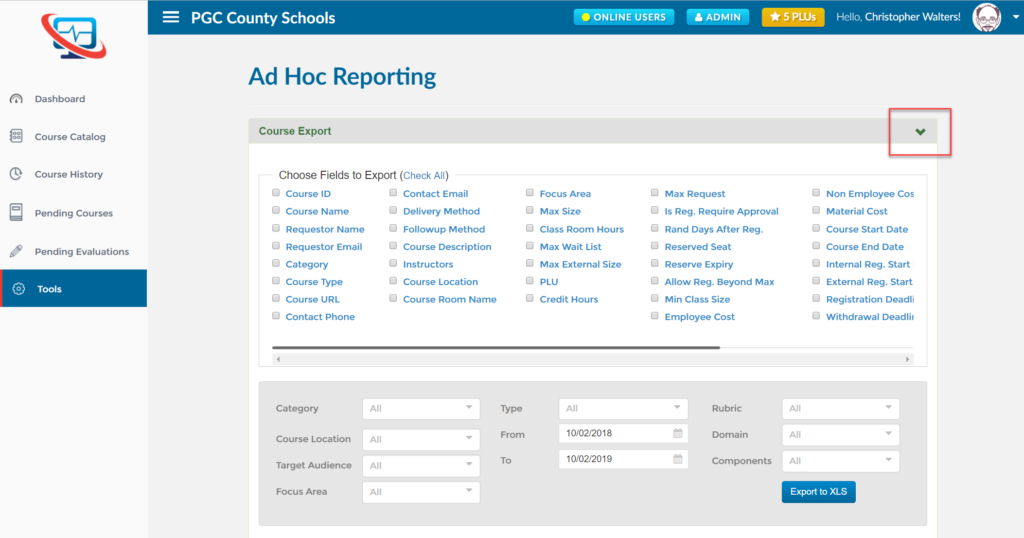
- By default the course exports option is shown:
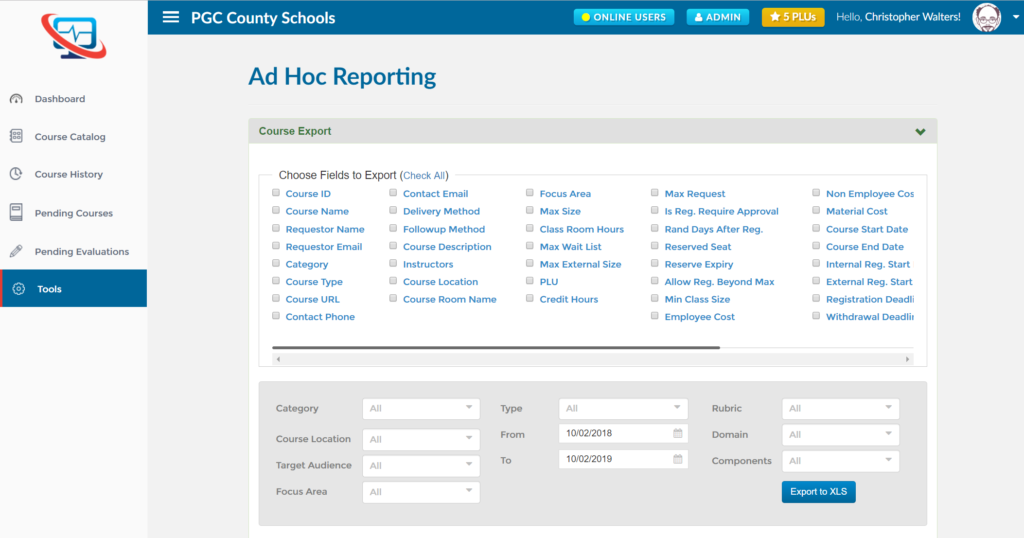
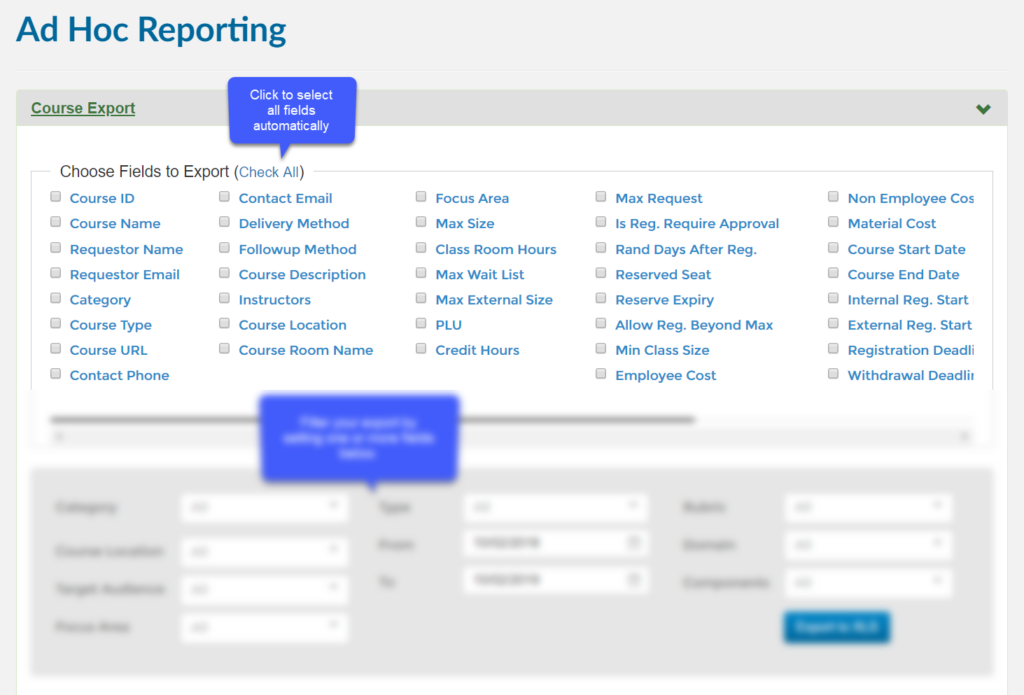
- Select the fields you would like to see in your export
- Filter your export by setting one or more of the filters:
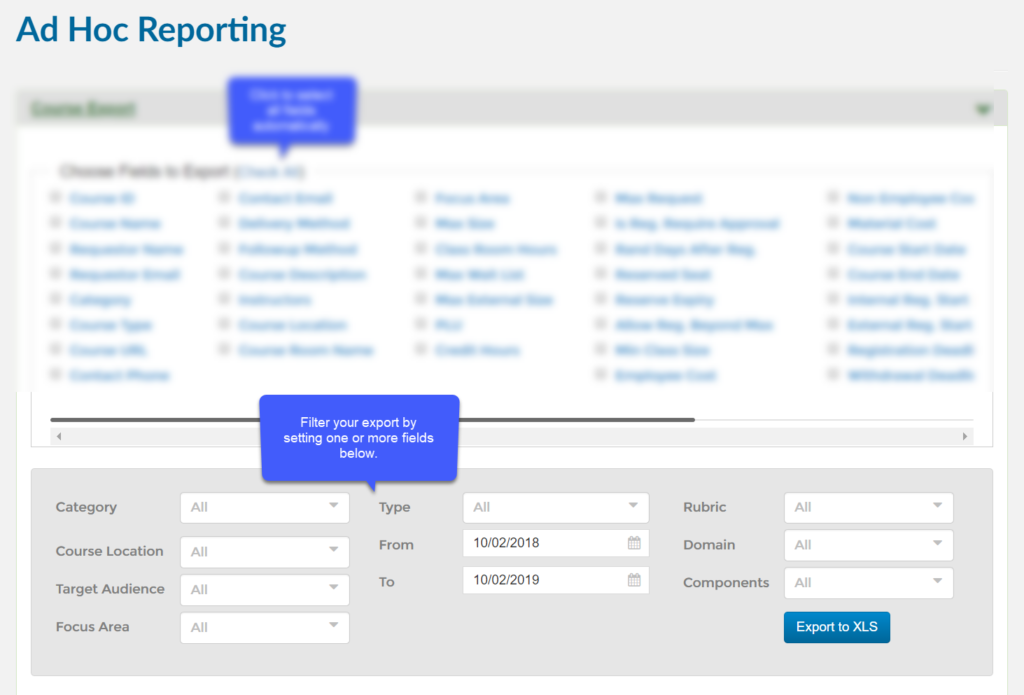
- Click Export to XLS to export your results
How do I report on participant enrollment?
- First, log into Ascriptica
- Click tools to access the set of Ascriptica tools
- Click Adhoc Reporting from the tools menu
- By default the course exports option is shown:
- Click on the arrow as shown below to expose the enrollment export:
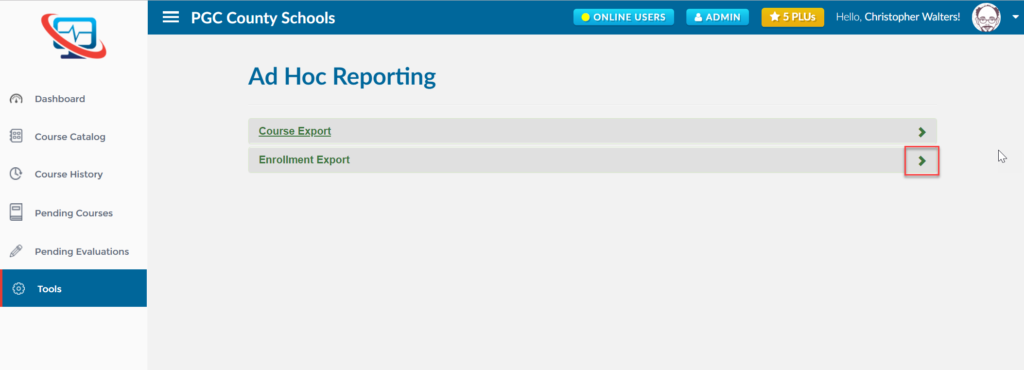
- Click on the arrow as shown below to expand the enrollment export options:
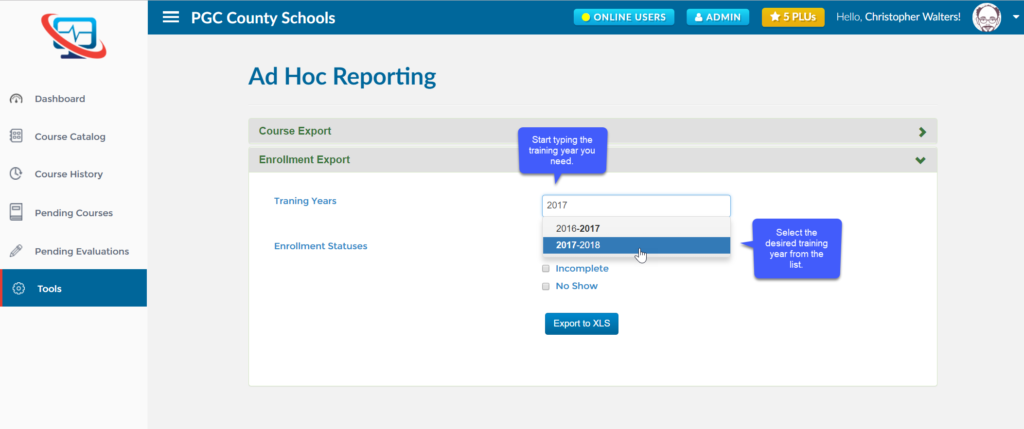
- Select the desired training year you need by typing in the training year field. The system will begin looking for matching training years. Select one from the list. You may add multiple years if you like.
- Filter your export by setting one or more of the filters below to include participants who have been marked as completed, no show or incomplete:
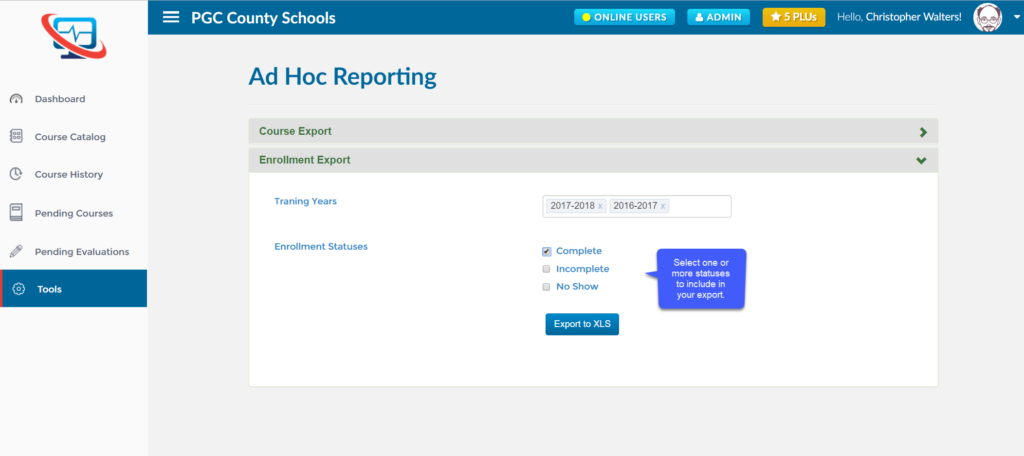
- Click Export to XLS to export your results