Help : Dashboard and Profile
[expand title=”Table of contents”]
- Return to Ascriptica Help
- Dashboard and Profile overview
- How do I edit my profile?
- How do I setup my profile picture?
- How do I change my password?
- How do I reset my password?
- How do I update my primary/secondary email address?
- How do I update/set my primary work location?
- How do I update/set my position?
- How do I setup a reminder for my teacher certificate?
[/expand]
Dashboard and Profile overview:
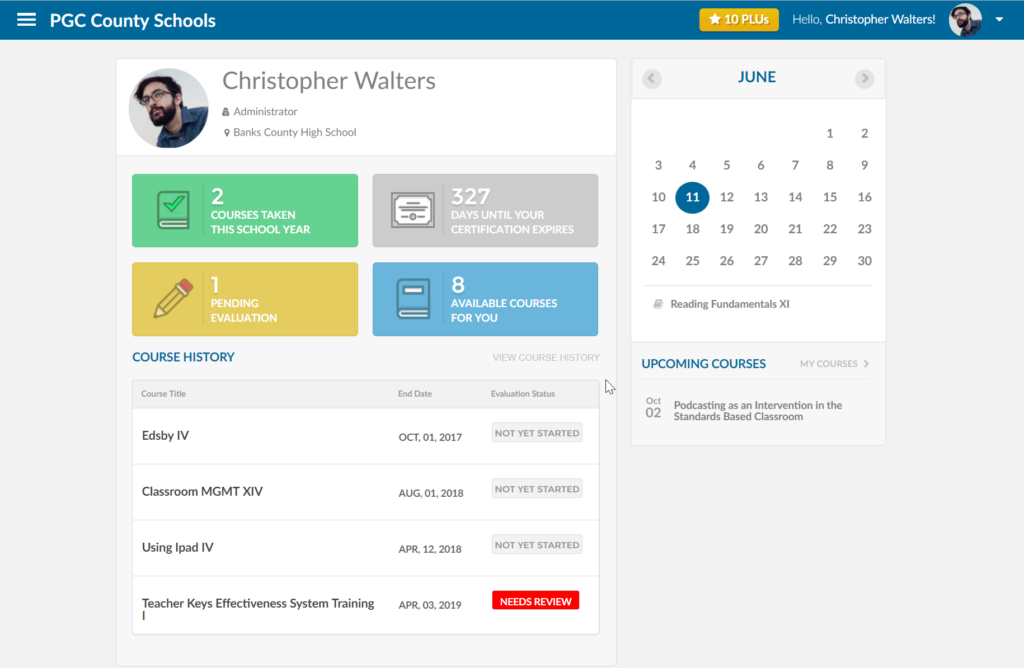
Users have relevant information at their fingertips informing them of expiring certificates, upcoming courses and what they have accomplished so far this school year. This is driven by Ascriptica’s profile module that allows users to upload profile pictures and set when their teacher certification will expire.
- First, log into Ascriptica
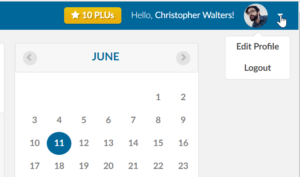
- Click the arrow in the top right hand corner of the web application as shown below
- Select Edit Profile
- From here you can make changes to your profile inclduing name, email address, work location and so on.
How do I setup my profile picture:
- First, log into Ascriptica
- Click the arrow in the top right hand corner of the web application as shown below
- Select Edit Profile
- Click browse to find and select the profile picture you would like to use.
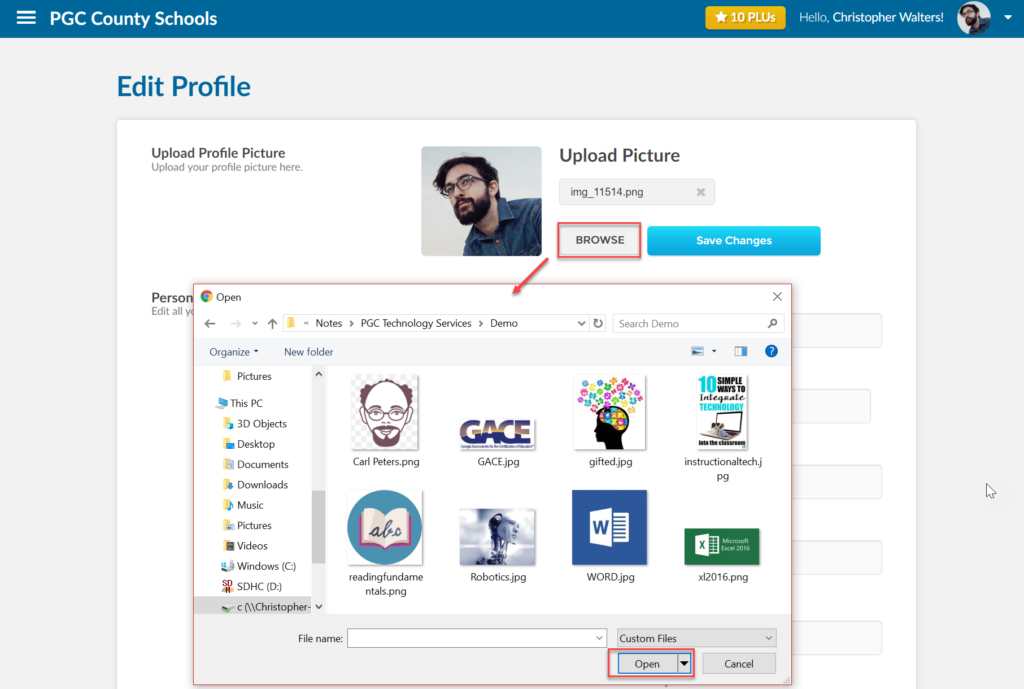
- Click save changes.
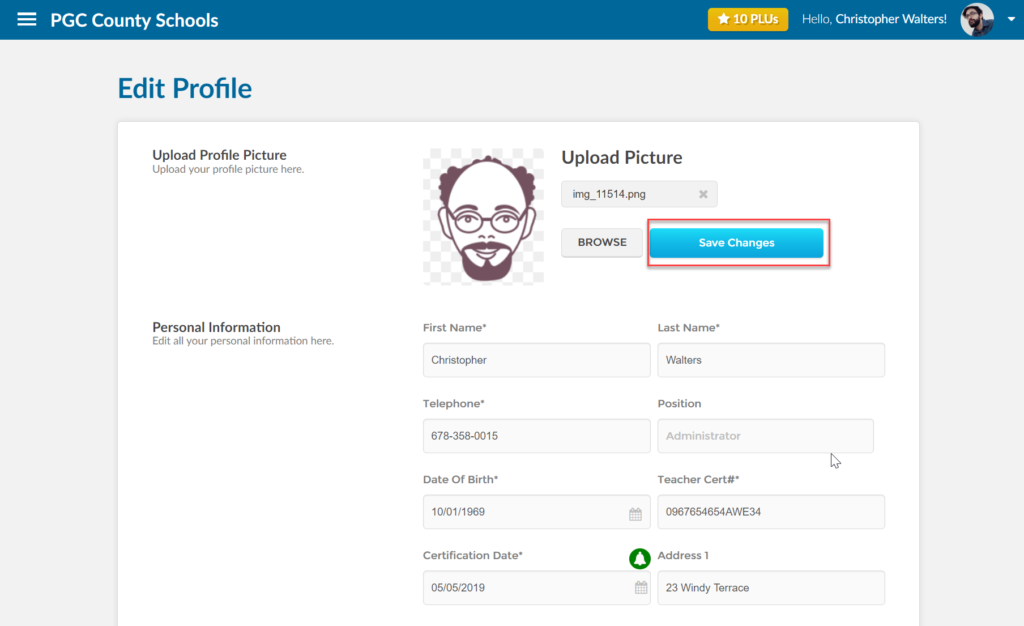
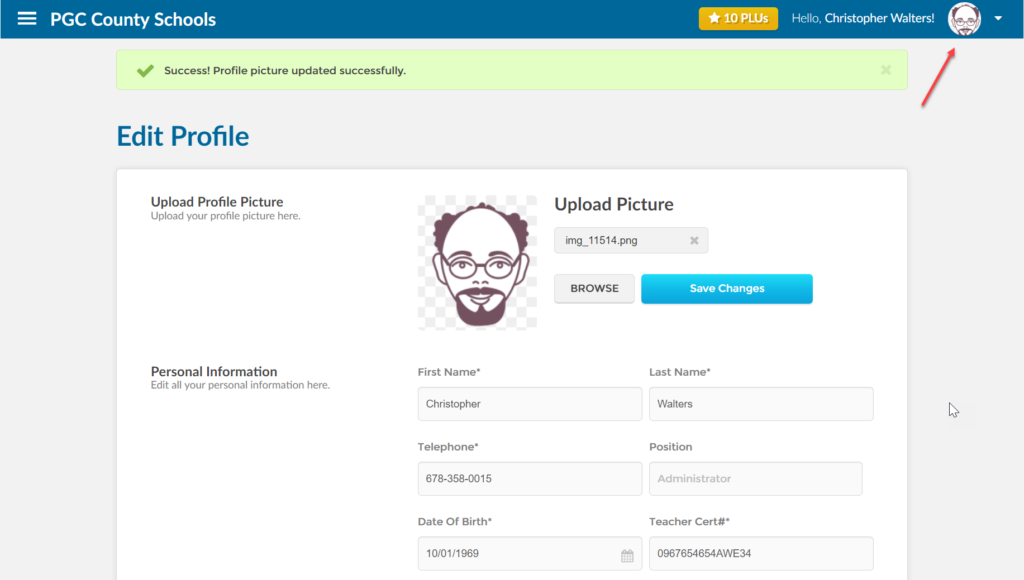
- Your new profile picture should now be loaded.
- First, log into Ascriptica
- Click the arrow in the top right hand corner of the web application as shown below
- Select Edit Profile
- From here you can make changes to your profile inclduing name, email address, work location and so on.
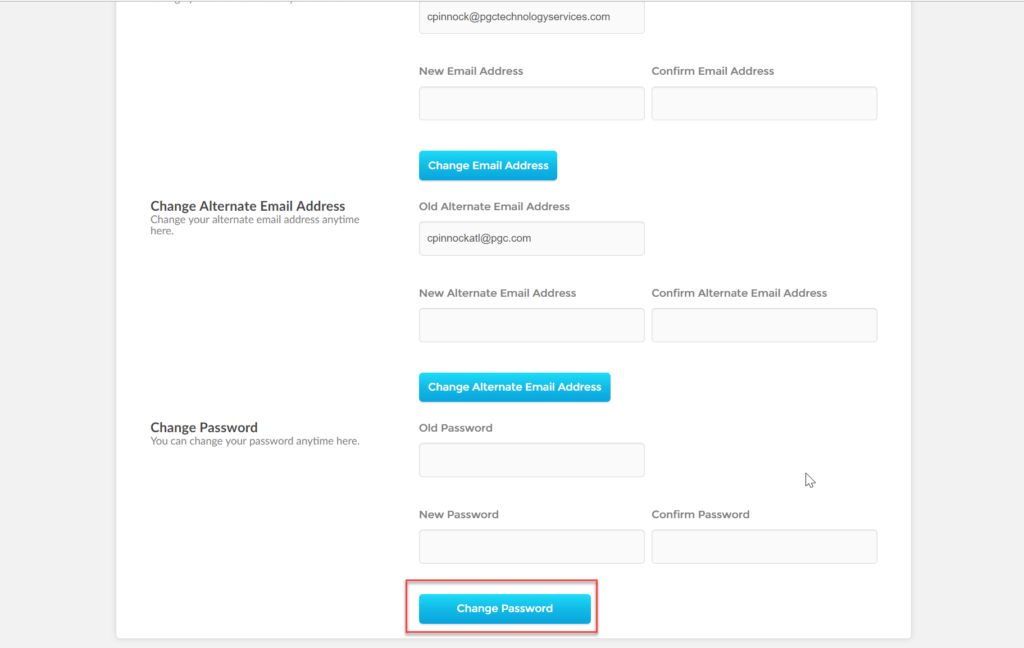
- scroll down to your password and update appropriately
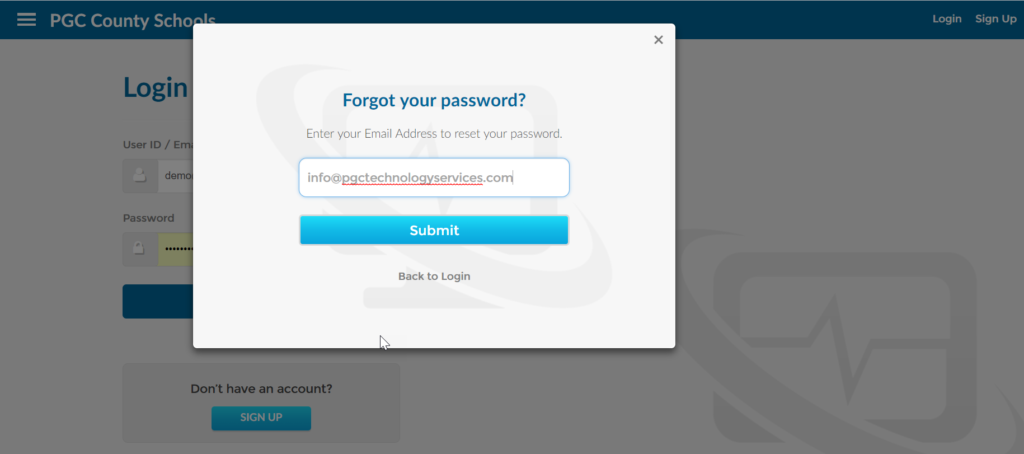
- Open Ascriptica
- Click the forgot password link as shown below
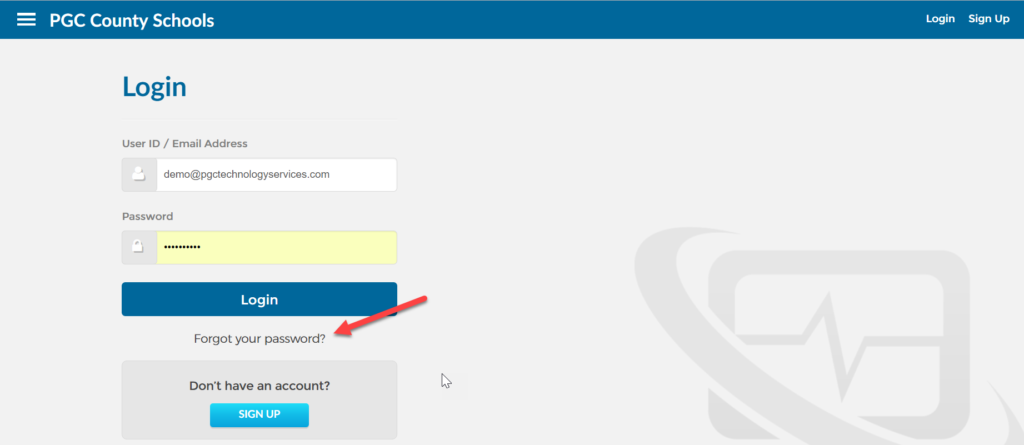
- Provide your primary email address and click submit to receive an email with instructions for next steps
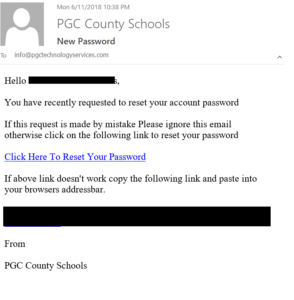
- Below is a sample email you will recieve. Please click the link and follow the intructions
How do I update my primary/secondary email address?
- First, log into Ascriptica
- Click the arrow in the top right hand corner of the web application as shown below
- Select Edit Profile
- From here you can make changes to your profile inclduing name, email address, work location and so on.
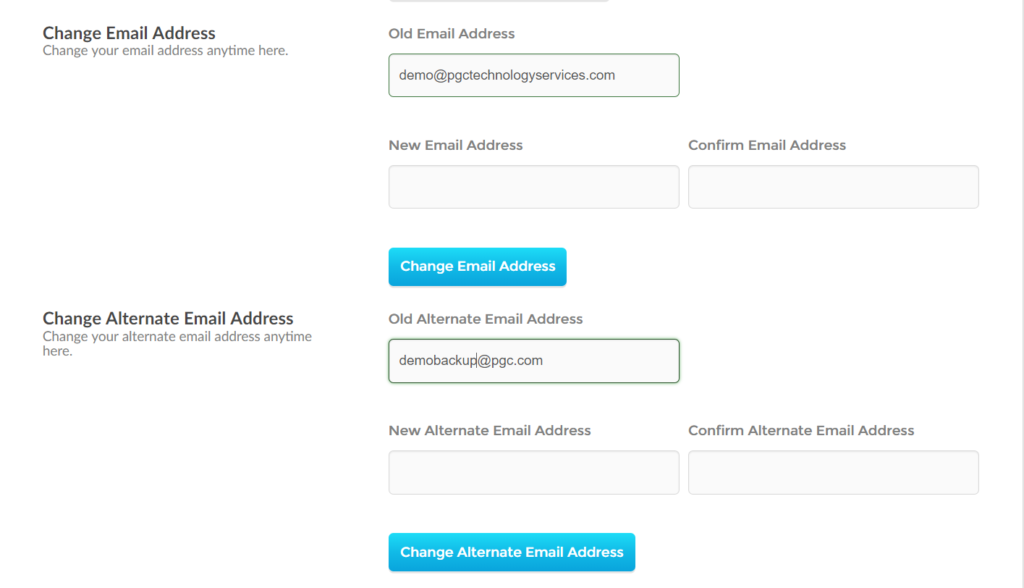
- scroll down to the Change email section of your profile. Change your primary or secondary email and click save to complete the changes.
How do I update/set my primary position?
- First, log into Ascriptica
- Click the arrow in the top right hand corner of the web application as shown below
- Select Edit Profile
- From here you can make changes to your profile inclduing name, email address, work location and so on.
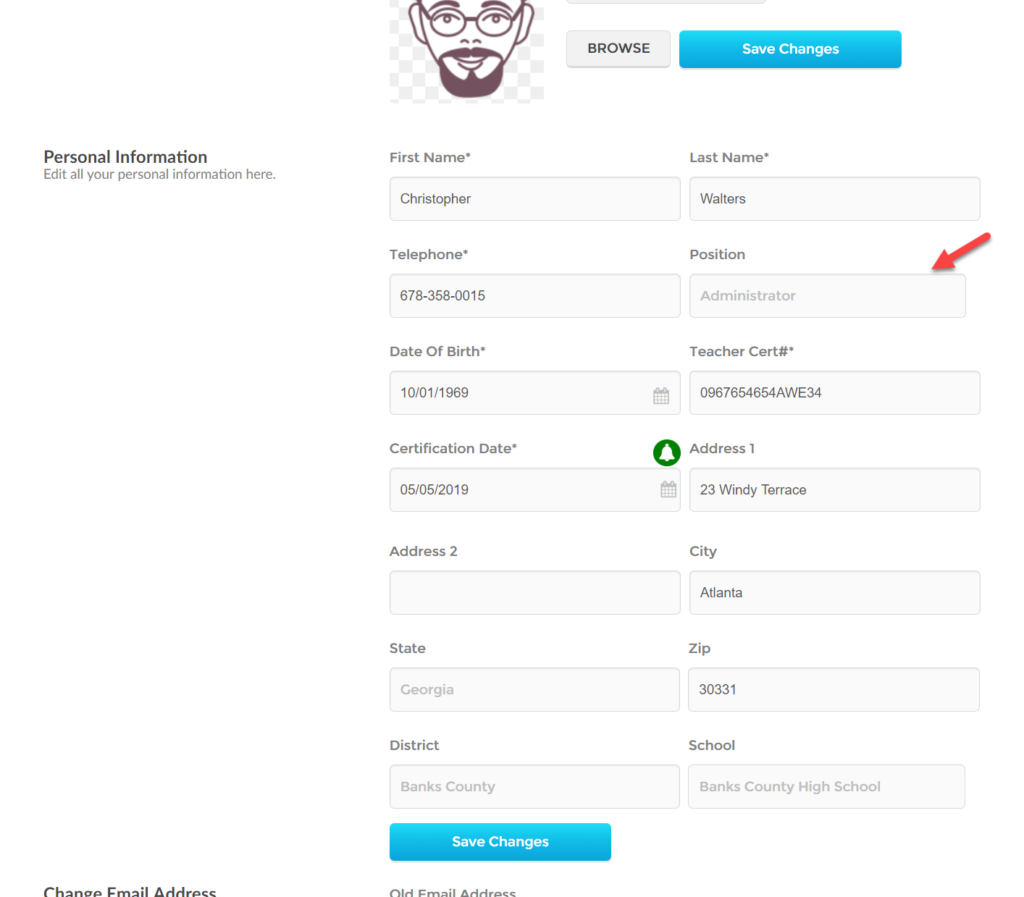
- scroll down to the personal information section of your profile and select your desired position. Click save to complete the change.
How do I update/set my primary work location?
- First, log into Ascriptica
- Click the arrow in the top right hand corner of the web application as shown below
- Select Edit Profile
- From here you can make changes to your profile inclduing name, email address, work location and so on.
- scroll down to the personal information section of your profile and select your desired work location. Click save to complete the change.
How can i get reminded that my certificate is about to expire?
- First, log into Ascriptica
- Click the arrow in the top right hand corner of the web application as shown below
- Select Edit Profile
- From here you can make changes to your profile inclduing name, email address, work location and so on.
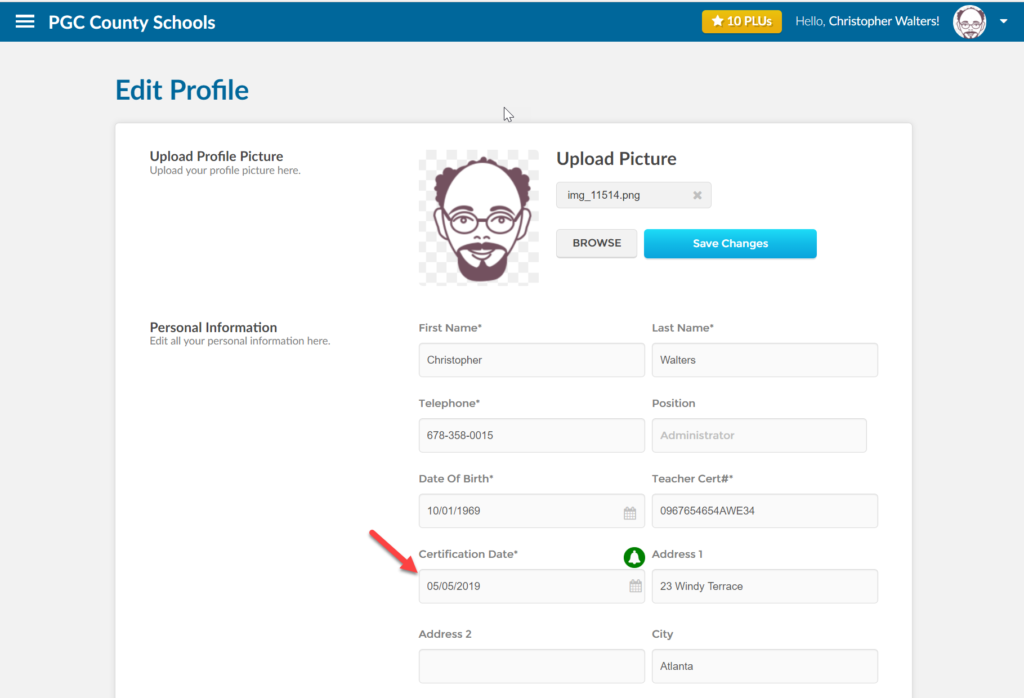
- scroll down to the personal information section of your profile and ensure that you’ve set the date your certificate will expire
- Click on the bell to opt in to the notifications your organization has configured. You organization may set multiple reminder schedules and this allows you to opt in for those reminders.
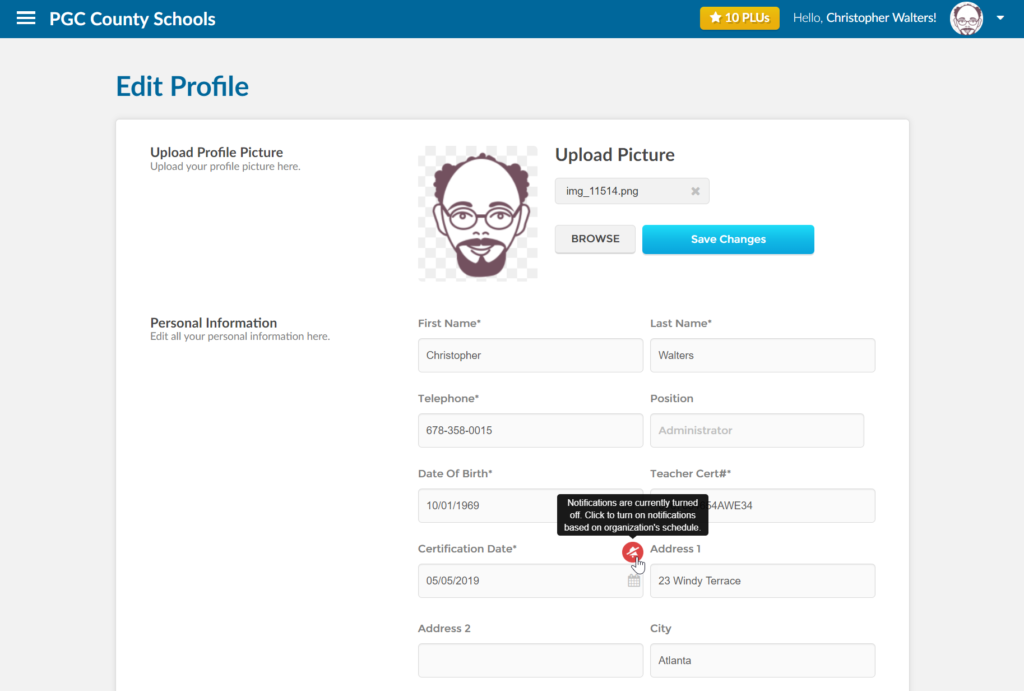
- Once you click the bell to opt in you will begin getting those reminders.